Showing posts with label photography. Show all posts

Monday, June 21, 2010

I HEART FACES WEEKLY PHOTO CONTEST~TEENS


Okay, this is my first entry in a photo contest...I've been watching them for a while at http://iheartfaces.blogspot.com/ and I just couldn't resist this one as my VERY FIRST portrait model, Quinton, is a teenager and he just so happened to have given me the most awesome photo shoot ever!  What a model!! I had an extremely hard time picking one photo from his shoot because they all turned out so dynamic.  I finally settled on this one because it framed his face in tight and well, it is i <3 faces, right!? This kid is only 15 years old, just lost his father days before the shoot (an army soldier who just served in Iraq), is in two different rock bands (you can see a tiny peek of his accoustic in the lower left corner) and has one of the deepest minds you would ever meet. He is extremely loyal to his girlfriend; cherishes their true love...remember those days?!  He is way too grown for his age, but still maintains an innocence that is somewhat mysterious.  I was thrilled to get to know him that day and have never taken better images since.  I was surprised he was up for the shoot considering his tragic loss, but he thanked me later and told me how good it was for him to get out and focus on something else.  Everytime I look at this photo, I know what is going on behind those eyes and what that is happens to be way too deep for you or me to understand.  They say the eyes are the window to the soul.  I wish I didn't have to see the sadness in his.  But on the same note~ this kid is a survivor, is extremely talented and I am proud to call him my nephew.  Man, he set the bar extremely high for me because now everyone wants their picture to look as good as his.  What can I say...his unique style,  facial structure, eyes and soul made this shot.  I only captured it.  Love you, Q!

Friday, June 11, 2010

The Posh Puff!


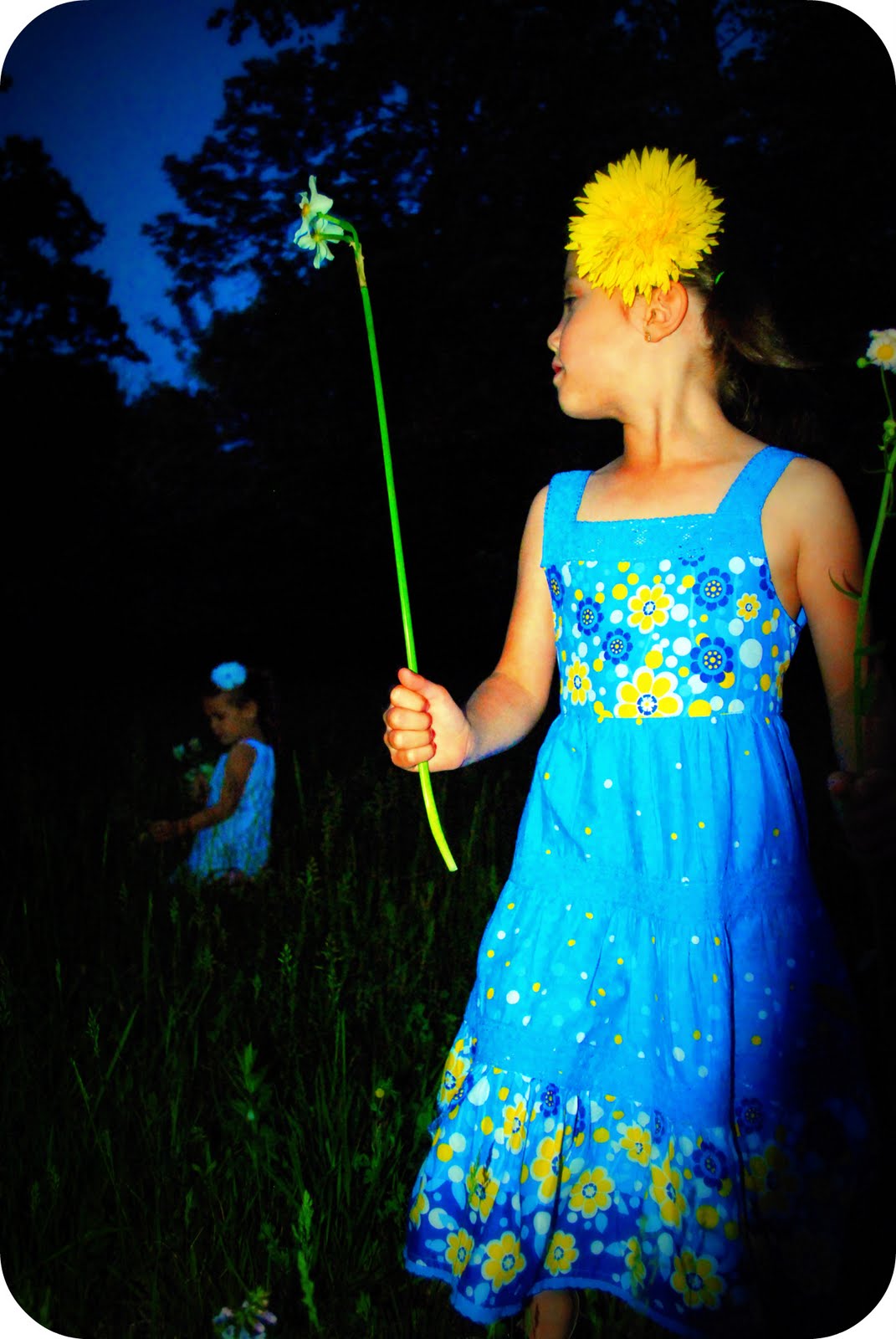
I haven't really talked much about my other company....Punk n Posh. It's a hip accessory line with uber cute punk and posh pieces that kids, teens and adults can wear to express their inner star! The pieces also make great photography props (for all you photogs out there!). Which brings me to my point. :-D  I've just released a fab new item called "Posh Puffs" which are super glam adorable puff pieces that come in a variety of colors and can be clipped to headbands, hats, belts, hair and flip flops for various kinds of posh looks. I was so excited to release them once I took my girls pictures in them-they turned out so adorably *squishy* cute! I mean humbly speaking and all my girls are superbly gorgeous, ;-D (hehehe) but after a zillion pictures I have taken of them, I needed something to change their look as well as the look of the photo. The posh puffs did just that. The photos speak for themselves. The good news? They are a gorgeous photo prop that will only cost you $8...that's it. So you can afford to buy one in every color and be prepared at your next photo shoot you want to foof up the Poshiliciousness!  yes, that is a word...I created it! ;-D


Or ~you can try to get one for free from this blog ;-D !! That's right, I will be giving away one Free posh puff per week for one month. What do you have to do? Just leave a comment here telling me how u like the photos or the puffs (and which color(s) you would choose if you won and I will draw one per week. If u share my direct link to my webstore or facebook fan page to your blog or facebook status and comment here that u did I will give u another entry! One more for twitter!  Tweet about it!  It's that simple. Hope u love the posh puffs as much as I do! These photos truly warm a mothers heart~I know mine is melting now...

Monday, May 31, 2010

Continuous Motion....I GOT IT!!

Okay so I have to say I am sooooo excited for TWO reasons! 1) because being the slow blogger I am, I just realized I can update my blog from my iPhone (poolside baby, yeah!) and 2) because I was able to get an AWESOME continuous motion shot! I may be more excited than I should be but nonetheless I am, shall we say--"tickled pink"?!? So I have to start with the fact that I was inspired by Scott Kelby in book one of his digital photography series that I blogged about a few posts back (my eternal thanks, Scott-you truly have made me a better photographer ;-D). I have to say that when I read his page regarding continous motion I was fascinated with the idea (probably as excited as I got when I learned how to "paint with light" and shot a complete heart I drew with two light up swords my kids had at the local firework spectacular, Thunder over Louisville-I would totally blog about that if I didn't lose the photo to a BAD HARD DRIVE...total other story...I will recreate the photo and blog all about that another day!) and seriously wanted to rush out to the local outdoor extreme skate park (I still plan to go!) but in the meantime I had something much more important to attend to...Kindergarten graduation.

Yes, my little man was graduating Kindergarten and in his eyes that meant he wasn't a little kid anymore. Oops gotta take a break for food, (free cookout at the neighborhood pool- can't pass that up!) Needless to say he also made a point to tell mom and dad that he wanted a BIG present (since he was now a BIG kid of course!) and hinted that he wanted a new motorcycle (he doesn't ask for much, does he?!) Being that he already has a motorcycle (Fisher Price Harley Davidson), but the batteries that it takes have been dead for a year, I decided it was time to cough up the $80 to buy the kid new batteries and bring life to the dead Harley. Alright, I know--I am seriously getting to the point. So I went to the adorable boys graduation and brought him a small gift (and by small I mean in size-can't exactly haul a Harley jr in the school gymnasium!) and I was playing with my new lens (which I happen to have a love/hate relationship with) and managed to capture some super cute glimses of little mans excitement for his new game-the self titled "game boy" happens to LOVE Mario (who doesn't?). Dang, that boy can melt my heart with those baby blues...

Soooooo when we got home he found his beautiful piece of heavenly blue plastic waiting on the front porch, was he excited? Ummm, yeah...you could say so. It was while I was somewhere between happy dreamy bliss from beautiful images like these:


(beautiful to me because of the sharpness where I wanted it, the bokeh where I wanted it, the nice color that the lens translated to my LED, and the most beautiful subjects I could ask for in my humble opinion!)....


                      ...to complete frustration from blurry shots like these (see why I have a love/hate relationship...bad bokeh!?):
when I realized "I can take a continous motion shot of my little man riding his little heart away". So I pulled back into the files I store in my brain sorted under "Scott Kelby" and started adjusting my settings. I started clicking continuously when little man gave his sister a lift and prayed for a miracle. I got it!! Not only did I get it, but I really got it! I LOVE the expression of I intensity on his face, love that my little chicka was looking over at me, nailed the sharpness on my subject and the blurry motion suggesting their movement that I was looking for AND was able to keep plenty of room for the motorcycle to go, making for a much more interesting composition.

WOW. I did it. I'm so proud of myself! And I think I'll like this more than any race car, dirt bike or skate trick I'll catch like this in later days. I got my first continuous motion shot and it rocked because it is special to me, because it shows the free spirit, unbridled fun my babies were having. I love it and I am SO thrilled. As a mom. As a photographer.  This is one for the portfolio kids ;-).

Wanna know how I did it? Okay, here is the recipe (you did all this reading, you deserve to reap a benefit here I know!) slow down your shutter speed (something below 1/60th of a second or where you would usually need a tripod-the slower, the more motion you can show), click the shutter and pan (follow) your camera around the moving subject in the same direction and relativley same speed they are going. Be sure to be shooting on continuous and be sure your subject is in focus. That's it. Your goal is to have your subject in focus and the surrounding area to show a motion around it. I plan to do ALOT more of this. I can think of so many fun ideas with this besides the obvious ones I mentioned above (long run on the diving board, waterfights, races (kids, bikes, cars, horses..whatever!, even babies first steps!) This can be a super fun trick that only the pros know so I truly hope I can help some of u other newbs to find the joy I have with this great technique!

Till next time!  BTW: Working on the Kandy Pop Photography website now...should be up and running very soon! Thanks for all of your support!

Warmly,
Kass

Wednesday, May 19, 2010

Photographing the Davis Family


I was very excited when my friend,~C~, approached me about taking her family pictures; not only do I think she has a beautiful family (her two girls also modeled for my Punk n Posh line!), but I worked out an amazing trade (don't you just love bartering?!) LOL! Okay, so this friend has been taking Photography classes right along with me at the local University--so guess who took my princesses FIRST birthday pics?! (I'll actually be posting a piece on that soon! FUN!) You guessed it~C~! It felt so nice to not be the one behind the camera that day...to be able to focus on my sweet baby girl and still know I would get all the important pictures I will forever cherish of her on that special day. I HIGHLY recommend this to all! Hire a photographer on your children's special day so you can focus on them and not be hidden behind a camera the entire time! It really took a lot of stress off me and allowed me to enjoy her super special day even more!


Okay, so back to the Davis Family shoot...my first FAMILY shoot. A family of 6. Talk about intimidating! Maybe I should have started with a family of 3 first to get my feet wet, he he! ;-) There are many challenges when shooting that many people...especially on the entire family portrait shots. Like getting them all to have their eyes open at the same time, all of them looking at you at the same time, trying to keep little ones who run out of the shot in the shot (wink wink), trying to keep them all natural and several more. But the benefits that come from these challenges fill my heart with a "warm fuzzy" that I have never felt before. To see and know that I captured their beautiful, fun, endearing family in so many memorable ways just fills me with such a joy! What a great gift to be able to give to people! This brings me back to last summer when I had my first realy family portraits taken. I say this because before having Tyson (Legend Photography) shoot us, we had only been captured with a quick flash in a studio at JC Penny or some other quick portrait photographer. It is so different to have an image of your family that speaks to you..literally. Something that really shows your family's true style, personality and love for one another. Something that will become an heirloom. Tyson, you melted our hearts with your work of our family and our little Tori and I hope to be able to give that gift to many others in my life. Pay it forward, pass it on.


I know I still have so much to learn in the Photography world, but I promise to do the best I can with what I have and what I know. I am quite pleased with the results. I hope the Davis family is too. They are so beautiful that it didn't take much to make a beautiful image out of them. But that super cool tough guy car of ~T'~s made it unique and brought their own style to the shoot. Those adorably fun kids brought so much flava I had a hard time keeping up with them (especially my auto focus!)!

What a special thanks I have for them to let me in on their lives in such a personal way and for them trusting me to capture a sliver of moment in time for them!


BTW:  Wanna know what got those vibrant colors? My new Polarizing filter...LOVE it! ;-)


Monday, May 10, 2010

GREAT BOOKS FOR PHOTOGRAPHY LOVERS!

, I know, you haven't heard much from me lately.  Remember I am new to this and am trying to find the time to work in  blog writing along with mothering four children, juggling the PTA duties I have as VP of Ways & Means, photography shoots, photography edits, cooking, cleaning, doing laundry, homework with kids, time for husband, nursing baby and preparing for my neighborhood spring Yard Sale!  Did I say YARD SALE?!  Yup!  I did!  The only thing I love more than getting money from de-cluttering my house at our nieghborhood yard sale is finding other peoples random junk at a steal of a price and RE-cluttering my house! LOL!  Anyone else have this problem?  Ah, well...it's the little things that make me happy (and crazy!) hehehe.  Anyhow, I've decided for now that nursing time seems as good as any to write so I'm going to try to keep these short and to the point and hope to pass along some good tips I have learned to you during my 15 minutes of sit down time!

I've been reading this GREAT book by Scott Kelby that introduces you to basic digital SLR photography in a light, easy to follow book with quick tips for most situations along with snappy photos that speak to you.  I have loved reading this book so much that I just ordered books 2 & 3 and can't wait to receive them!  They are easy to read in the carpool line while waiting for the kids, at the doctors office and even the bathroom (I told you I don't have a lot of "free" time! LOL!  ;-) So, if you are wanting to learn more about photography and don't have the time to read a long 'wordy' book about photography and want to pick up so me quick tips from the pros, I HIGHLY recommend this book and most likely the other two as well!  He has a fun quirky sense of humor that keeps me interested and awake unlike many technical "know-how" books I have read. It's pretty dang affordable too and I am super glad I found them.  He also includes recommendations he has for accessories and breaks them down into 3 categories (small budget, medium budget, no budget!) so you can get the best tested accessory/equipment for your personal budget!  Each page focuses on a different tip/topic and includes a photo for demonstration.  He speaks in an easy to follow tone that makes you feel like you have a good friend that just so happens to be an awesome professional photographer that is sharing his top tips with you for taking amazing pictures.  He teaches you how to get your photos "tack-sharp", how to shoot portraits, waterfalls, weddings, landscapes and more without losing you in a huge page filled with words.  He also makes you laugh a little while you learn (one one page he talks about the importance of shooting at dawn & dusk and mentions that when someone asked a National Geographic Photographer if that was really the only times to shoot landscapes, he beat the man with his tripod-he was totally joking, but made his point while getting a chuckle out of me.) ;-)


I also just ordered the tripod he recommended from amazon (in my price budget) and can't wait to get it as I know I won't regret it since it has been recommended by someone (my new friend-lol) who has so much experience in photography and is probably thinking about alot more than I would when looking at tripods!  I also ordered a wireless remote and am looking forward to doing some slow shutter shooting that will be "Tack-Sharp"!  I will definitely post these pics as soon as I take them!!  Anyhow, I hope you take the time to pick up a copy of at least the first book...I don't think I have learned more from anything else I have tried (including classes at the University!) and I am actually thinking about taking his online courses next because I like his style so much!  Good luck to you all, hope you are all clicking that shutter button as often as I am!

Thursday, April 15, 2010

Photo Editing/Photographic ART....YEAH BABY!!


Okay, so I promised to provide cool tips I learn as I go along my creative processes and I'm beginning to see the true value of photo editing.  Especially in the social networking world we live in today when we are sharing so many photos of ourselves and loved ones in ways we never really had before.  Everyone's a critic (or so they say) so for me, it's pretty important that the pics I post look great (especially if they are critiquing how many wrinkles have shown up on me since the last time they saw me or how many chins I have added to my collection~LOL!).  So I thought I would share some basics on editing that I have learned as a "newbie" to all this. 


First and foremost, a picture just isn't a picture until it is edited.  :-)  I know, a real true photographer should get it right the first time-in the cameras-without any help, right?  Wrong.  Unless you have a camera that is worth more than your car, you will have to do some editiing to bring the best out of that photo (and even then, magazine ads and professional photos are edited before going to print).  So for many of us, the question becomes, HOW? Well, there are expensive programs like Photoshop that not only cost an arm and a leg, but also take QUITE a bit of learning to really use correctly.  There are so many tools that even a professional has endless capabilities!  Most people using this program have gone to school for years just to learn it.  Yes, there are other options such as Photoshop Elements, which cost a lot less and therefore have less to offer BUT one could be perfectly happy with this program to completely edit a photo and create a masterpiece. 


How easy is it?  Well, it's easier...but you should still take at least one (maybe more) class on it to really know what you are working with.  What do I recommend for the newest beginner with no experience and that wants to be able to get editing right away without even taking a class?? Picnik.  It's SOOO fun, SUPER easy and yes, Google just acquired it to its mini collection of the world wide web ;-) so those guys must find it fun, too! 


What can you do with Picnik?!  Alot, really.  Not only can you apply pre-prepared effect (layers/masks) to your pics, you can also retouch photos, remove wrinkles (yes!), airbrush your skin to be flawless (totally flawless!), give yourself a suntan...heck they even have something called "Insta-thin" that will make you look skinnier (yes, it works!)!  That makes it worth the $25 annual membership fee alone!!  You can also PLAY...which is really, really fun.  You can make cute little hearts and flowers around your photos, make frames for them or round the corners (my favorite). You can doodle around them, you can stretch out faces into hilarious carictatures and you can even turn yourself into a "Cullen" with an amber eye color or a blood thirsty vampire with red eyes!  Or you can make yourself into a total zombie or ghost just for fun and giggles!  You can bet that myself and my 9 year old son have done a lot of just that!! I'm not trying to sell a membership here...I get no kickbacks or anything like that.  I just think it was a very well designed, user friendly FUN program that I get alot of use out of.  But if you don't want to shell out the cash right away, many of their features are FREE!  Try them out and see if you think it's user friendly enough for you.  If it is, I think you should try out the premium services, but if nothing else take full advantage of the FREE ones! 

After many months of editing photos I have learned that just the editing portion itself is an art.  It takes time, talent and a good eye.  I've learned that by taking these steps, not only are you a photographer...but you are a PHOTOGRAPHIC ARTIST.  The cool thing about that is you don't always have to be a great photographer, have an expensive camera or go to school to learn how to produce such grand images...you can be a Photographic Artist if you prefer or, even better...you can be BOTH! :-)
Recently, I have edited some friends photos that I have not taken, but wanted to see what kind of "magic" my editing/art could create.  Here are some examples...see what you think! 

This family picture was really nice on the left, but lacked the "oomph" I was able to give it with a few clicks on "vibrance", then did some color correction to the dad in the photo's face because he had a "racoon mask" from sunglasses and a sunburn to even his skin tone out.  Then I did a "Cine-Scape" mask/layer over the entire photo and got this cool vintage feel to the photo.  Now the photo is really worthy to be framed.  The editing changed the photo from "nice family vacation photo" to "family portrait session photo" and this was taken with a point and shoot Canon.  Editing a point and shoot photo can make a home/family photo become a professional photo just like that (and she didn't have to spend $200 on a photographer!~LOL) 


This one was an assignment a friend of mine took in an Advanced Photography Class at Uniersity of Louisville with me.  She was shooting in low lighting conditions with a Canon Rebel EOS SLR camera.  I loved the water drops that sat on the flowers in the pic, but yearned to see more detail in the flowers in the foreground. I used "Vibrance" to brighten the colors (the blue came out really nice) and used the lightening tool (Dodging or Highlights) on the front petals.  Now I can see exactly what I wanted.  Not any major changes needed, just tweeked the color and lighting for detail and what a difference it made.  I rounded the corners as well because I like most pics that way for  web viewing (not print).


I loved this photo of a friend of mine's little one.  I didn't take this shot...another talented friend of ours did and she did a beautiful job.  She looked like an angel to me in this photo and I wanted it to be even more ethereal (this is where that Photograpic Artist thing comes in).  I applied a "Lomo-ish" mask/layer to it because I knew that gives a very bright focal point and a vingette around the edges.  Now it looks like heaven's light is shining down on this sweet little angel.  I also decided to add her first name to it by the "add text" feature.  I like to do that to personlize photos as an "introductory character" piece.  Totally optional to do so...makes the picture more fun, but can be removed if you prefer it to be more serious.


This picture was funny to our family because we knew what we were looking for when we saw the stairs, but on film it didn't translate to the cool edgy feel we were envisioning in our minds.  The photographer is a brilliantly talented man that did everything right when taking this photo, but his camera alone (a super divine Canon SLR) could create what we were really looking for.  Before I knew how to really edit, I thought this was an "unusable picture".  The guys look tough, but the stairs and surrounding atmosphere looks weak.  It needed a grittier feel to it to make it more masculine and urban feeling.  After months of toying with Picnik, I went back to this and was able to do exactly what I had envisioned the day of this shoot.  Los Chiccos de Clifford...translation, The Clifford Boys (just a personal artistic choice that I thought added to the urban feel we were aiming for).  I applied the "gritty" mask/layer, cropped in for a closer shot and found the perfect tough guy text for the words I chose (they have lots of great fonts to choose from).  My boys love it!  I also added some fake tattoos for fun because I didn't like the Lagoon Amusement Park stamp on my step-son's hand and thought this was much cooler for this shot!  The one I added to his arm just balanced it out (what can  I say, I have WAY too much fun editing!)

    
Some photos have many possibilities and it really depends on the personal preference which is best.  I shot my neighbor's child holding our new bunny and loved the sweet look of the photo.  I played with it at home and really can't pick a favorite.  The first is straight out of the camera, which is quite nice, but a little soft or dull in color for my taste.  The second shot I applied a "Black & White" layer/mask and added a "Vingette" which gives it a very classic, touching quality.  The last shot is a layer called "Cross-Process" which I quite like on many photo's that gives it a cross processed "feel" that if chosen on the right picture, can be especially beautiful.  If I really had to choose, I would most likely choose the third...I really like how it brings out her eyelashes and the skin tone makes her look "porcelain" and actually makes the picture "softer" without taking away (actually adding to) the color in the picture, but I would be happy with any one of them.  This is an example of how subjective editing can be because many people choose the B/W one and some prefer the untouched original.  Remember, just because I am a huge fan of editing, that does not mean that every photo has to be edited.
Another great example of the subjectiveness is my Snow Faerie photo I shot for my Punk n Posh fashion line webstore.  I actually took this as one of my first "real" photos with my Nikon D3000 I was given for Christmas.  I didn't have any schooling in Photography at the time and didn't really know how to achieve all of what I was looking for in a photo at the time so I simply shot on "Auto".  I was very pleased with the pictures that came out, but wanted more from them.  I knew I loved the "blurry background" effect (Bokeh), but I didn't know how to achieve it through my camera lens at the time.  I played around with the tools on picnik and was able to simulate the Bokeh on the bushes in the background.  Look at the bushes in the B & W example and you will see how they were before I blurred them in the other 3 edits (if you are interested in more on Bokeh, I plan to do a blog on it very soon!) I also really wished I was able to catch the photo of her while the snow was falling, but we missed it!  Lucky me, I found a "snowfall" layer in picnik that made it look like she was out in the snow (I told you this stuff was fun!).  I came up with several pleasing edits and still can't decide which one I like most.  I put it up for discussion on my facebook page and got mixed results...everybody loved them and each had their own favorites for different reasons.  It's all subjective...some people like super bright colors, some like black and whites, others like soft, muted tones.  So it really depends on if you are editing for yourself or if you are editing for others.  If you are editing for others, it's nice to provide them with a couple of artistic options and let them choose what style they like.

Here is another example of options.  My friend took this artisitic photo of her son while on vacation.  It's an amazing picture with many artistic qualities to the pose, style and composition.  It needed more to bring out it's full potential.  I played with several different layers, techniques and masques and decided these two were the best. I gave both edits to her so she could choose which style she liked best.  Especially since I wasn't the one taking the image, I don't know exactly what she was going for with the photo when she took it.  These are simply my interpretations of it once I saw it.  One is a gritty, artsy feel that you might see at an exibit while the other has a gauzy, glowy feel to it that pronouces the light and shadow beautifully that you would probably see on mom's wall :-).  Options.  Have FUN with them! 


I LOVE this photo.  After the editing of course.  I can't really explain what I love most about it.  I guess it's the bright colors, the joy of seeing a baby with a big ball for the first time, the spring air I can practically breath in when I look at it.  I just love it!  The initial pic on the left is just an "OK" photo.  But after editing, it became something magical.  The was also a VERY simple edit.  I used a "Boost" layer and then rounded the corners.  Voila!  Done. 'Nough said! :-)

This is just a handful of edits I have done that I am really pleased with.  I'll post another editing piece soon about how to make a person look perfected i.e; airbrush discolorations, blemish repair, wrinkle removal, fixing double chins and even making you look like you've lost weight if you'd like!  Hope you learned a thing or two...till next time!

LAST BUT NOT LEAST, THE GEEK TIP OF THE WEEK:
Control + Shift + Escape
Try it next time your computer locks up on you (mine did twice just while writing this blog!)  No, it doesn't re-start your computer, that is Control+Alt+Delete.  It pulls up your Task Manager to show you everything you have open and what might not be responding and causing the "lock-up".  You can choose the "end" the portion that is not responding, or you can just select "switch To", highlight the other window/program you would like to work on, and give the piece that is "not responding" some more time..sometimes it is just slow and will work itself out.  Got it?
Control + Shift + Escape!
Hope that helps you from having to do a total restart on a lock up when you don't have to!  GOOD LUCK!

Much Love from The Geek and The Sheek!

Thursday, April 8, 2010

What we'll post....

Okay, so I figure rather than just boring you with our family updates we can make this thing pretty darn entertaining and you might learn a thing or two while you're here!  I will be posting "how-to's" of many different crafts, painting techniques, accessory making, recipes and photography tips and tricks.  Allan will be providing a "Geek tip of the Week" for you with something cool and techie that you may find helpful on the web or with  your computer.  We'll do our best to provide photos and links wherever possible.  Hope we can prove to be helpful and provide some useful information for you and your family at some point! 

Looking forward to sharing!

Kassi

Tunes


Get a playlist! Standalone player Get Ringtones